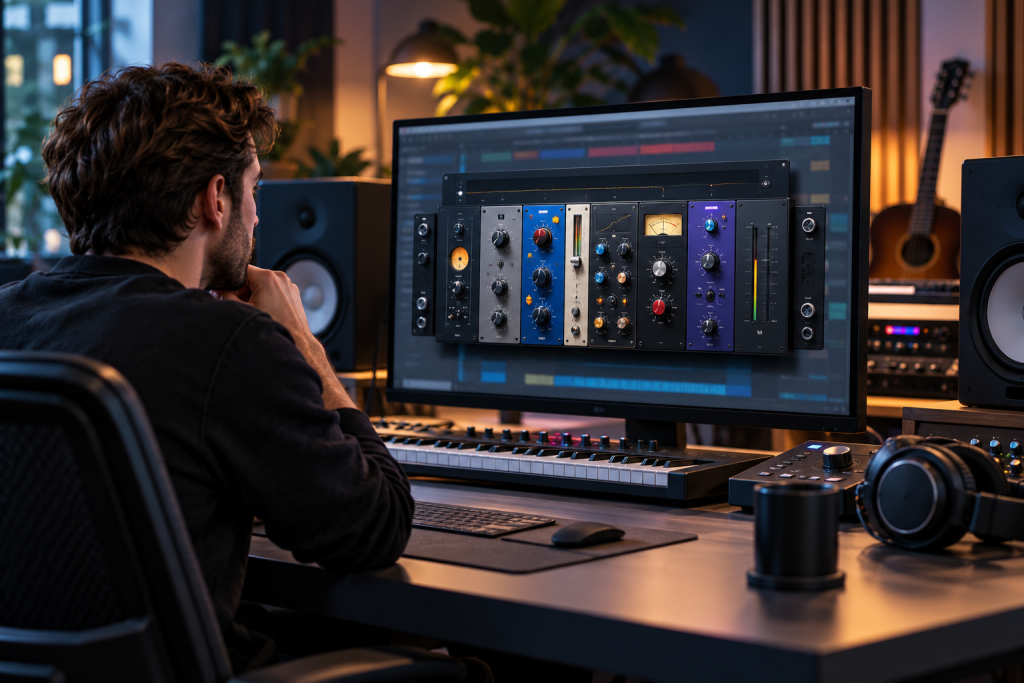
Waves has done this before with other plugins, and now StudioRack has joined the free tier. If you own a bunch of Waves plugins, or you’re just tired of paying for a host wrapper, this is worth understanding properly before you download it. I’ve spent time with StudioRack across a couple of DAWs, and the free version is genuinely useful. But the marketing page glosses over some real limits. Here’s the honest breakdown.
What StudioRack Actually Is
StudioRack is a plugin chainer and host. You load it as a plugin inside your DAW, then load other plugins inside it. Instead of stacking six inserts on a track and managing them one by one, you build a rack: serial or parallel chains, up to eight or more plugins per chain depending on version, macro controls, and the ability to save the whole thing as a preset.
The pitch is straightforward. One window, one preset file, your entire vocal chain or drum bus structure. Swap a compressor and the rest of the chain stays put.
What the Free Version Gives You
The free tier is not a demo. It runs its own full functionality and loads third-party VST3 plugins, not just Waves products. That last point surprises people. You can drop an Arturia compressor next to a Valhalla reverb next to Waves’ own CLA-76 and save it all as one rack preset.
Key things that work without paying:
- Serial and parallel plugin chains
- Loading third-party VST3 plugins alongside Waves ones
- Up to eight plugins per chain in the current version (Waves has bumped this limit over the years, so verify against your installed release)
- Macro controls that let you map multiple parameters to one knob
- Preset save and recall, including saving chains independently of sessions
- Sidechain routing between plugins inside the rack
For a home studio or a producer who works mostly in the box, that covers the majority of real use cases. The parallel chain feature alone is worth the download. Being able to blend a crushed parallel compression bus inside one plugin window, without building an aux track and rerouting sends, saves real time on a mix.
Where the free tier holds up
If you already own three or four Waves plugins and want them organized per track, the free StudioRack does that job with no nag screens and no export limitations. It isn’t time-limited, it isn’t feature-crippled at the core, and it doesn’t watermark anything because it isn’t producing audio itself. It sits in your signal path and gets out of the way.
One thing I noticed: the free version doesn’t try to upsell you aggressively. No popup every 30 minutes, no banner. That’s rarer than it should be.
What Still Costs Money
Here’s where the free pitch needs a reality check. StudioRack itself being free doesn’t make the plugins inside it free. Own nothing by Waves and you get a chainer with third-party plugs, which is useful but not quite the “full Waves ecosystem for nothing” some headlines imply.
The paid side breaks down into three buckets:
- Waves plugins themselves. Every Waves compressor, EQ, reverb, and channel strip is a separate purchase (or part of a bundle). StudioRack is the container, not the contents. A Waves Creative Access subscription or a bundle purchase is still required for those.
- StudioRack-specific premium features. Waves has historically gated certain advanced features behind the paid tier, including extended chain counts, deeper macro routing, and some preset library access. The exact line has shifted, so check the current comparison page rather than trusting a two-year-old forum post.
- Cloud and collaboration features. Session sharing, cloud preset sync, and team features sit behind the paid side or a subscription. If you work solo, this is irrelevant. If you’re trading sessions with a mixer in another city, it isn’t.
So the accurate framing is: StudioRack is free, the ecosystem isn’t. That’s the same model DaVinci Resolve runs, where the free NLE is genuinely powerful but 10-bit workflows, advanced AI tools, and certain codecs need the Studio license. Free host, paid ecosystem is now a standard software pattern, not a trick.
Who actually benefits most
Three types of users get real value here:
- Existing Waves owners. If you’ve accumulated plugins over years, StudioRack finally gives them a home that isn’t your DAW’s insert list. This is the strongest case.
- Mixing engineers building reusable chains. Save a “lead vocal” rack once, recall it across projects regardless of DAW. That portability is the underrated feature.
- Anyone running a second plugin host for CPU reasons. Parallel chains inside StudioRack can sometimes be lighter than duplicating tracks in your DAW, depending on how your host handles plugin instances.
Who should skip it: people who own zero Waves plugins and are happy with their DAW’s native chainer. Ableton’s device chains, Logic’s channel strip, and Reaper’s FX chains already do the basics. StudioRack’s edge is cross-DAW portability and parallel routing, not novelty.
Practical Notes Before You Install
A few things I’d want to know before committing:
Waves Central is required. The free StudioRack still goes through Waves’ license manager and installer. That means an account, and it means the Waves Central app running on your system. Some people hate this. It’s a legitimate gripe, and there’s no portable-install option.
VST3 support is the important one. Older Waves versions leaned heavily on VST2 and their own format. Third-party plugin support inside StudioRack has improved, but check that your specific plugins load cleanly. I ran into one older VST3 that refused to scan, and there’s no manual “force add” option in the free tier’s browser.
Version drift is real. Waves updates StudioRack more often than it updates this comparison page. Capabilities that were paid-only two years ago occasionally move to free, and vice versa. Treat any spec sheet, including this article’s, as a starting point and confirm against your installed build.
GPU and driver sensitivity: not really an issue here since it’s audio, but CPU spikes are. Large parallel racks with heavy reverbs can push a single core hard. Test on representative hardware before tracking a session you can’t redo.
Verdict
Download it if you own Waves plugins. The free tier is a legitimate organizational upgrade and the parallel chain feature earns its keep on its own. Download it if you want a cross-DAW preset system and you’re willing to accept the Waves Central overhead.
Don’t download it expecting a free plugin bundle. You get the rack, not the tools. The value is entirely dependent on what you already own or plan to buy. That’s not a flaw, it’s just the actual deal, and the marketing copy is vague about it in exactly the way you’d expect.